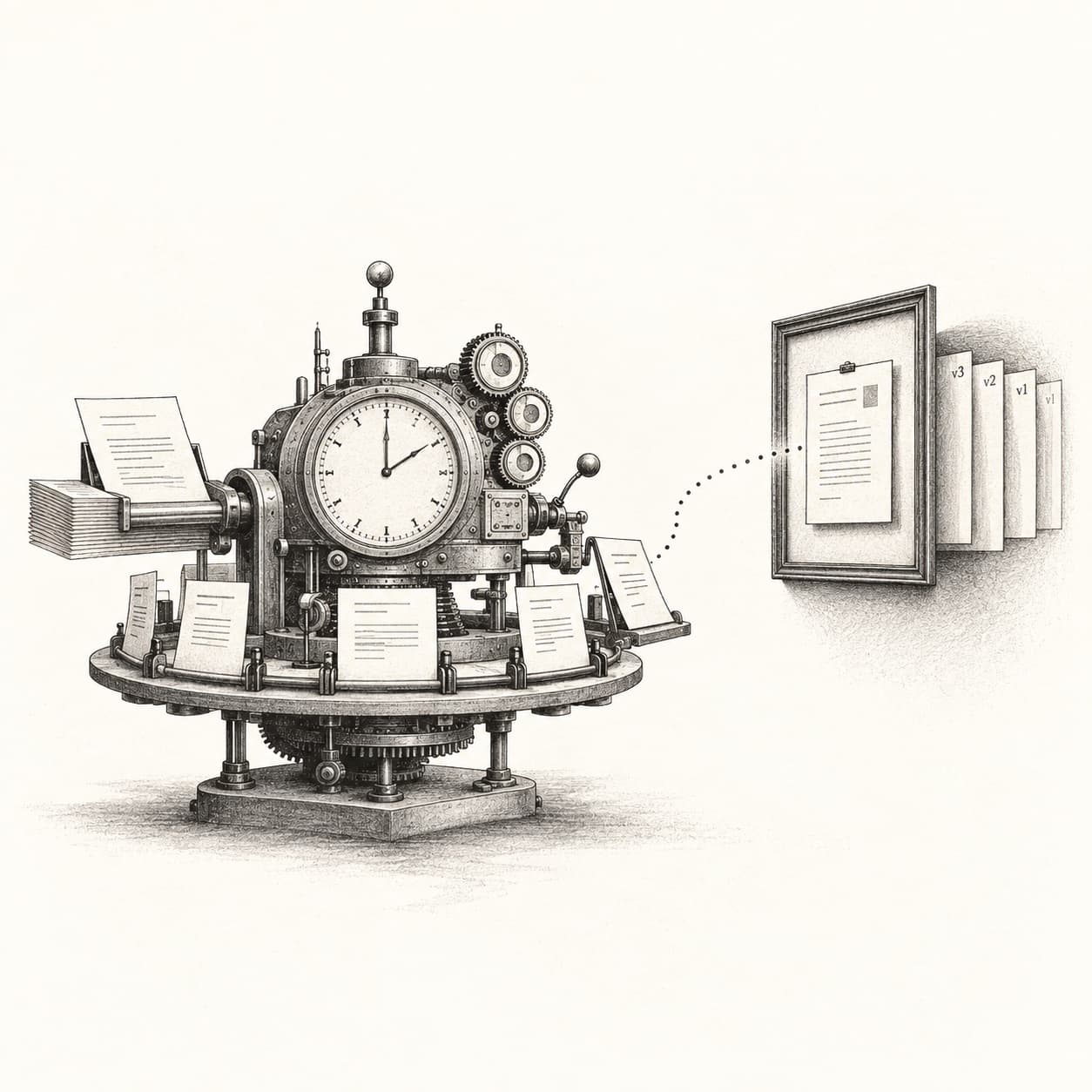
Most teams get reports from their AI assistant the same way they get them from a colleague: someone remembers to ask. The answer depends on who asked, what they remembered to include, and how much patience the model had that afternoon. The next week the format is different, the numbers are not comparable, and nobody can tell what changed.
We run an AI agent in production for a university group, and we needed the opposite: the same questions, asked the same way, at the same time, with answers that can be compared week over week. This is the practice we settled on. It is small, and that is the point.
The idea in one sentence
Register the prompt as a file in the repository, run it on a schedule, choose the model and effort level by the kind of work the prompt does, and publish the result to one stable link with the previous versions archived behind it.
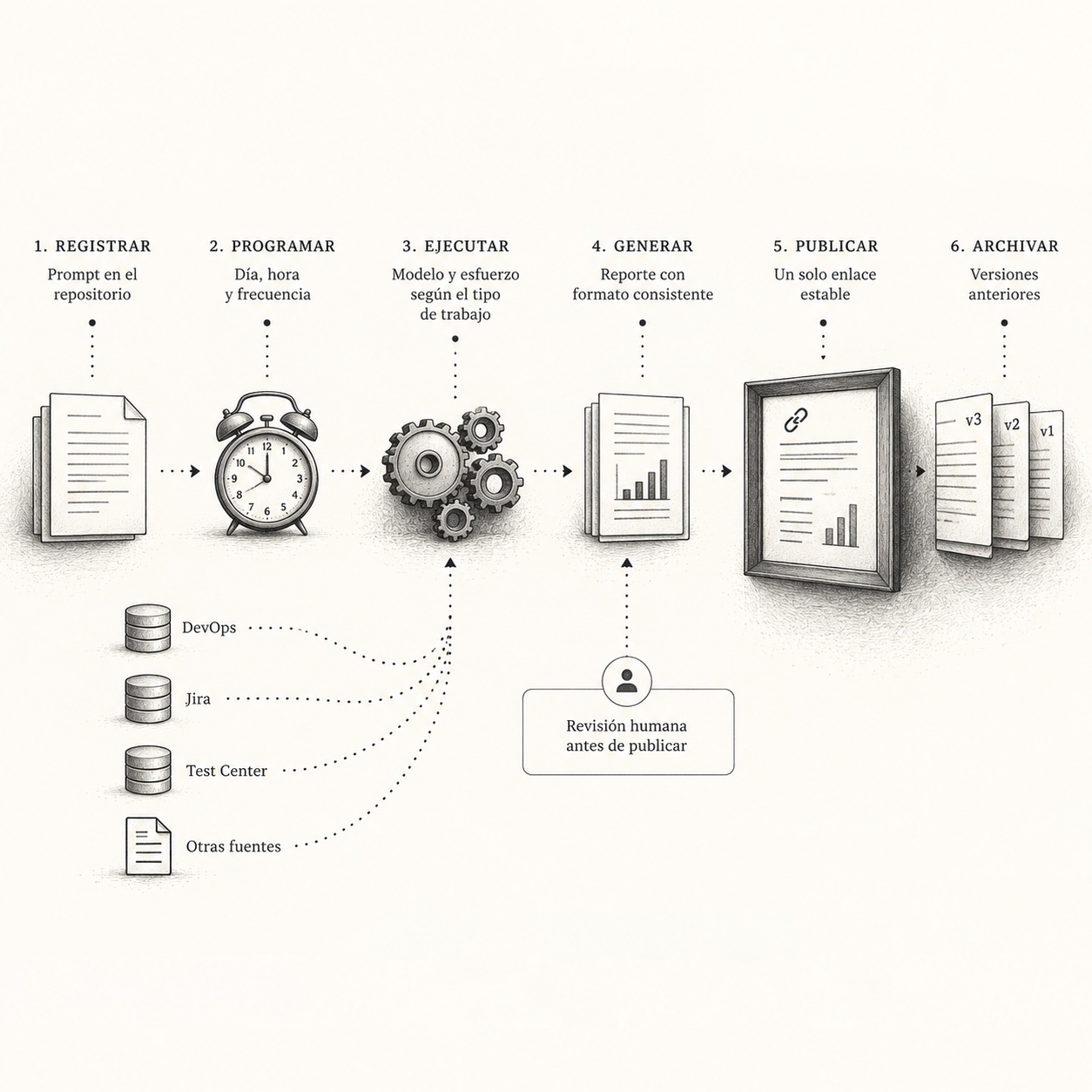
Every word in that sentence carries weight, so let me take them one at a time.
Register the prompt
A report that lives in someone's head is not a report, it is a habit that leaves with the person. We keep each one as a prompt-*.md file in the repo, with a short frontmatter that declares what the report is for and how it runs:
id: prompt-work-cut
type: report
cadence: Tuesday and Thursday, 17:30 local time
cron: 30 17 * * 2,4
timezone: America/Mexico_City
model: Opus
effort: xhigh
audience: the project group, business and technical; plain language, no internal jargon
sources: Azure DevOps (PRs, builds), Jira (tickets), test center (verdicts, bugs), previous cuts
output: notes/cuts/YYYY-MM-DD-cut.md with a version number
destination: the stable Notion page, published after a human reads it
contract: the document that fixes intention and format
owner: a person
Below the frontmatter comes the body: what to measure, in what order, and how to write. Two rules do most of the work. Measure, do not remember: every number comes from a live system and declares its time window; a source that did not answer is reported as such, never as zero. Write the note and stop: the prompt never publishes on its own. A person reads the note first.
Run it on a schedule
Inside Claude Code, a /loop handles anything recurring within a session, and a scheduled task handles the real cadence: Tuesday and Thursday at the end of the day, or Monday morning for the weekly one. The task opens the prompt file and runs it as written. The output is a new file with the version number incremented. A published version is never edited; the next one is published instead.
While the team does not yet have an always-on machine, a person triggers the run and reviews the note. When the machine exists, the run and the publication become automatic and the review moves to comments on the published page. The prompt does not change; only who presses the button.
Choose the model by the kind of work
This was the part that took us longest to say clearly. Not every report deserves the most expensive model, and some deserve more than one pass. The rule we use:
| Kind of work | Model and effort |
|---|---|
| Programmatic or agentic action: runs tests, measures live systems, writes notes, publishes | Opus at high or maximum effort |
| Documenting or inspecting without taking action | Sonnet at high effort |
| Complex, uncertain or urgent | The best model available, at high effort |
A report that only reads and writes does not need the top model. One that measures against live systems and has to decide what belongs in the report does. Getting this right is what makes the practice affordable enough to run twice a week without thinking about it.
Three reports that already earn their keep
What is blocking us. Tuesdays and Fridays. The prompt investigates what is currently stopping the project, articulates each blocker, and names who can remove it. It is the report that gets read by people who do not read anything else, because it is short and every line has a name attached.
The work cut. Tuesday and Thursday at the end of the day. What landed, what is still open, and who has the next action, in numbered blocks: merges and reviews, tickets, one block per product line, services, the internal tooling, and finally what we are asking of whom. The template is below.
The full status. Once a week, ready for Monday. A verdict up front (can this go to production yet, and if not, which fronts moved), a table of what runs where and since when, what changed in the window by repository, and a trail of earlier findings with their current state. Four pages, mostly tables, every figure with its source and date.
Publish to one link, keep the versions
The last piece is the one that changed how the team reads. Each report has exactly one page in Notion. Its body is replaced with the current version, a header says which version this is, what window it covers, when it was last updated and which prompt produced it, and the previous versions sit underneath as sub-pages named by version and window. The link in everyone's bookmarks never changes. Notion keeps its own page history as well, so nothing is lost even if a correction is made in place.
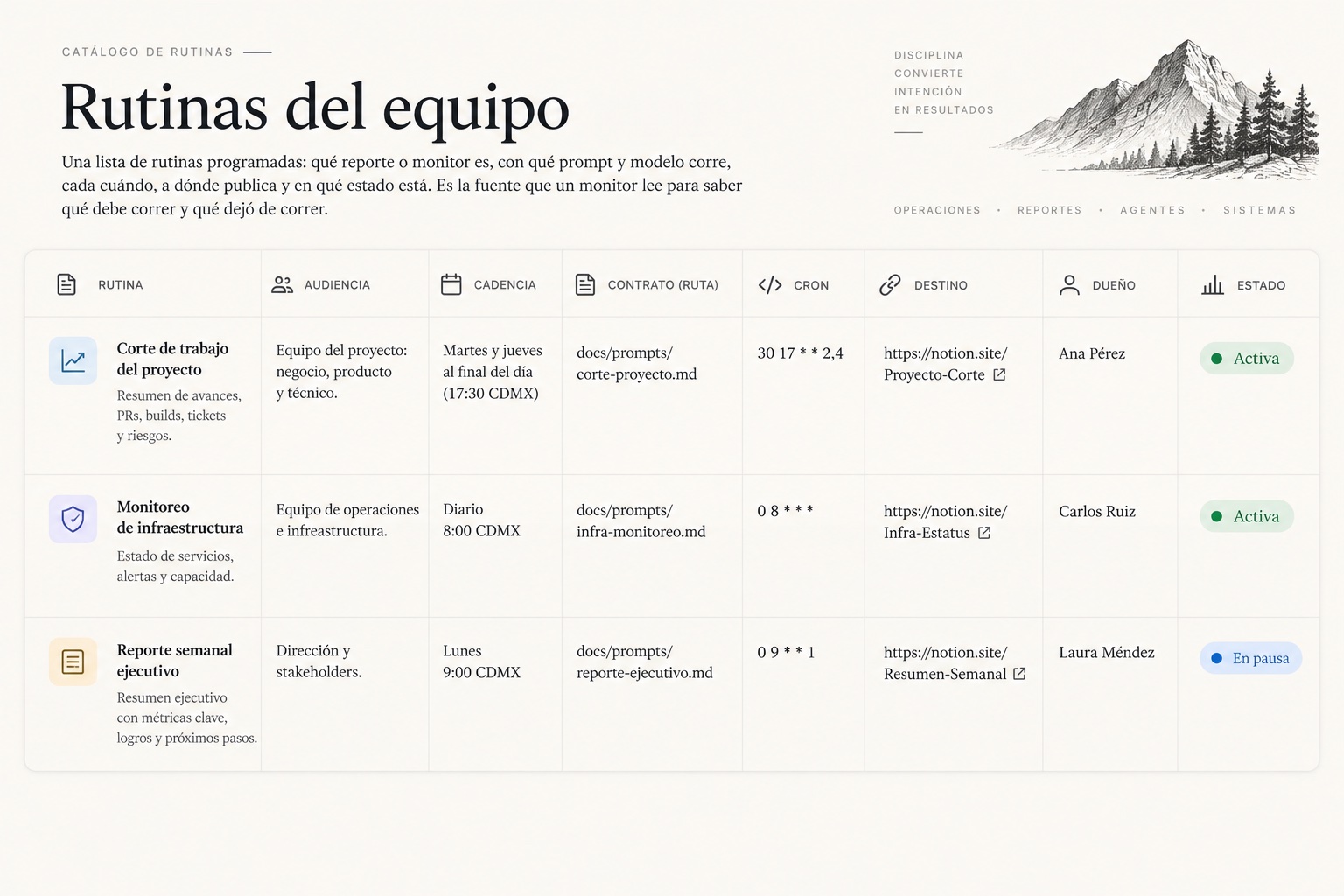
Next to the pages sits a small database we call the routine registry: one row per routine, with its type, state (active, paused, proposed, retired), cadence and cron, model and effort, sources, the paths of its prompt, contract and output, its destination link, the current version, the last and next run, the owner and the ticket. A monitor can read that table to know what should be running and what quietly stopped.
Templates to copy
Everything below is a Markdown file you can drop into a repo or import into Notion:
- The prompt contract, the frontmatter and body rules described above.
- The work cut template, seven blocks and the sentence each one ends with.
- The blockers report template, short by design.
- The full status template, verdict first, then tables.
- The routine registry schema, the columns of the database and what each one is for.
The skill, packaged for Claude Code
Everything above is also a Claude Code skill, in the official skill format: a SKILL.md with the steps for creating a report and publishing a version, a reference.md with the practice in full, the ten templates in English and Spanish, and the publisher script.
- Download the skill folder (zip, standard library Python only).
- Read the SKILL.md before installing.
Install by copying the folder into your repo: .claude/skills/scheduled-reporting/. Then /scheduled-reporting <report-name> <cadence> walks through the setup, and the same skill publishes versions afterwards. The publisher needs a Notion integration token with access to your hub page.
Start with one report. Run it by hand twice so the format settles. Then schedule it, and let the registry tell you when it stops.