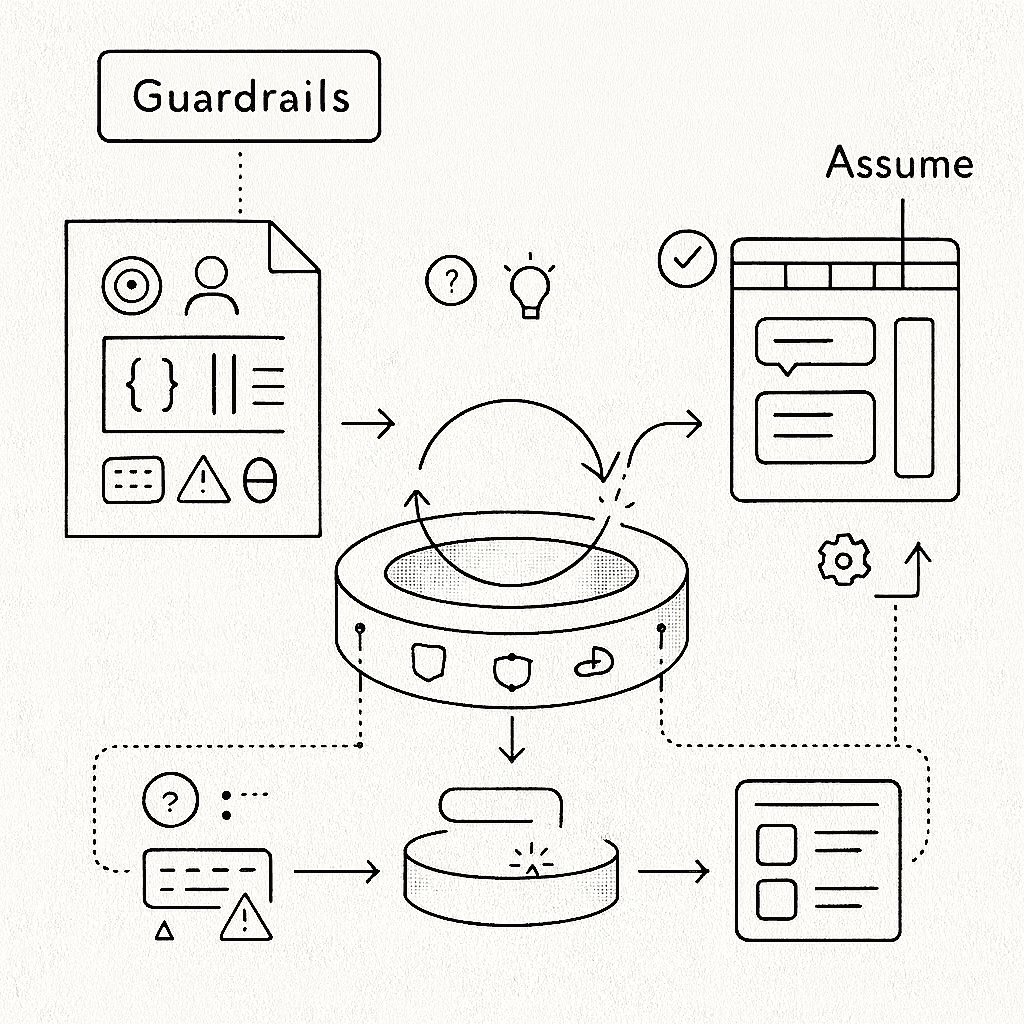
Last week, I ran an experiment. Instead of building incrementally, I described exactly what I wanted to ChatGPT 5.1 Pro to draft a prompt, and then asked Claude Opus 4.5 to deliver it in one shot.
The result changed how I think about about speed when working with AI.
The Challenge
Building a Help and Support integration for WarrantyOS.


Three tabs. A floating help button. A slide-out drawer. Searchable knowledge base categories. Multiple contact channels. A chat interface ready to plug into any AI backend.
The Journey to the Prompt
The one-shot prompt did not appear from nowhere. It emerged from a conversation.
I started with a different problem. We had built an AI Workspace panel for WarrantyOS, inspired by the VS Code ChatGPT and Codex extensions. A right-side drawer with Chat, Tasks, and Context tabs. It worked. But it was not what our users needed.


Then I saw the opportunity to pivot into a developer tool for sales reps, focused on support, help articles, and contact information.
So I asked ChatGPT 5.1 Pro to help me think through the transformation:
Help me create a prompt. We are going to ask the coding agent to help us
refine the sidebar of AI Workspace. We will leave the "Chat" as is, then
next to it, lets create one that says "Help desk" which would display all
our support content... we can also change the name of "Context" to "Contact"
and include an email, a cellphone, an online chat... and human technical
support at their service.

So let's refine that idea. Let's even change the name of AI Workspace to
"Get Support", and we change the AI button on the main section of the top
right screen to be that of "Help" with its proper icon.
ChatGPT returned a structured prompt. Detailed. Organized into phases. It covered the audit, the renaming, the tab restructuring, the visual polish, and the future integration considerations.
The Prompt as Architecture
What ChatGPT produced was not just instructions. It was a template for how to instruct.
The structure followed a pattern worth studying:
Phase 1: Audit before action. The prompt began by asking the agent to understand the current state. Identify components. Note integrations. Map behavior. This prevents the agent from making assumptions that break existing functionality.
Phase 2: Rename with precision. Each rename was specified at the level of implementation. Not "change the name" but "update the title inside the panel header" and "replace the top right icon/button in the main app frame." Specificity eliminates ambiguity.
Phase 3: Tab by tab decomposition. Rather than describing the whole interface at once, the prompt walked through each tab separately. Chat: keep existing behavior. Help desk: new purpose, new layout, stubbed data with future integration hooks. Contact: renamed, new content, card layout. This modularity mirrors how a human engineer would think through the problem.
Phase 4: Visual and interaction polish. A dedicated section for the details that separate functional code from production code. Focus order. Hover states. Non-wrapping labels. These are the things that get forgotten in iteration but are essential for quality.
Phase 5: Future integration considerations. The prompt explicitly asked for code structured to accommodate changes that had not been built yet. CMS integration. Real-time support queues. This is architectural foresight embedded in the instructions.
Phase 6: Testing scenarios. The prompt specified what to verify and where. Dashboard, Customers, Quotes, Call Transcripts. Narrow and wide viewports. Tab switching. This prevents the agent from declaring victory prematurely.
This structure compounds. Every time you use it, you train yourself to think in phases. Audit. Transform. Polish. Extend. Verify. The prompt becomes a cognitive scaffold that accelerates future work.

The agent executed the prompt. The result worked. But looking at it, I saw something else.
The Experiment
Rather than starting with “help me build a help center component” and iterating through clarifying questions, I front-loaded everything I knew.
I wrote a single prompt of about 800 words containing:
The role and context. Who the AI should be.
Visual reference. The interface I had in mind.
Architectural requirements. Encapsulation principles. Prop-driven configuration. No hardcoded content.
Complete TypeScript interfaces. Every data structure spelled out.
UX specifications. Accessibility. Keyboard navigation. Responsive behavior. Error states.
Extensibility goals. How this should adapt to future backends.
Explicit deliverables. Exactly what I expected to receive.
The prompt ended with a critical instruction: “Ask only for clarifications that are strictly necessary. Otherwise, make reasonable assumptions and move forward with a production quality implementation.”
What I Received
In a single response, Claude delivered:
A complete <HelpCenter /> component with internal drawer state management.
Properly typed interfaces for ChatMessage, ChatBackend, HelpArticle, HelpCategory, and SupportChannel.
Decomposed subcomponents. TabHeader. ChatTab. HelpDeskTab. ContactTab. CategoryAccordion. ArticleCard. SupportCard.
Full keyboard accessibility. ESC to close. Tab navigation. Focus management.
Responsive design with Tailwind.
A working example with mock data and an echo-back chat backend for local testing.
The component worked on first render. Not “worked with some tweaks.” It rendered exactly as I had envisioned, with the architectural patterns I had specified.
Why It Worked
Looking back, several elements made this succeed.
Specificity over vagueness
I did not say “build a help center.” I described the exact interaction pattern. Every ambiguous decision point was pre-resolved.
The production quality anchor
By explicitly requesting production quality and mentioning extensibility for future backend integrations, I signaled that this was not a throwaway prototype. The response included proper error boundaries, loading states, and clean separation of concerns.
Permission to assume
The instruction to “make reasonable assumptions and move forward” shifted the dynamic from interrogation to execution. The AI became a collaborator who interprets intent rather than a questionnaire that stalls on every ambiguity.
The Deeper Lesson
What struck me most was not the time saved. Though getting a day’s work in minutes is remarkable.
It was realizing that the quality of AI output is directly proportional to the clarity of your own thinking.
Writing that prompt forced me to articulate decisions I might otherwise have made implicitly while coding.
By answering questions upfront, I am not just instructing an AI. I am designing the system.
The better you can specify what you want, the less you need the AI to figure it out.
Two Kinds of Prompts
There is a distinction worth naming.
The ChatGPT prompt was an iteration prompt. It assumed existing code. It asked the agent to audit, understand, and modify. Its structure was procedural: do this, then this, then this. It optimized for safe transformation of something that already worked.
The Claude prompt was a creation prompt. It assumed nothing. It defined interfaces, constraints, and deliverables. Its structure was declarative: here is what I want, here are the boundaries, go. It optimized for a clean implementation uncoupled from existing decisions.
They both serve different purposes.
When you want to evolve existing code safely, use iteration prompts. Phase the work. Audit first. Preserve behavior.
When you want something new and clean, use creation prompts. Define interfaces. State constraints. Let the agent build from first principles.
Practical Takeaways
If you want to try one-shot prompting for complex components:
Write the interfaces first. Types are unambiguous. Natural language is not.
Describe the interaction, not just the appearance. “A button that opens a drawer” is more useful than “a nice help widget.”
State your constraints explicitly. Encapsulation. Accessibility. Responsiveness. If it matters, say it.
Include edge cases. Error states. Empty states. Loading states.
End with deliverables. Be explicit about what you expect to receive.
What This Means
I do not think this replaces the craft of engineering. It changes where the craft lives.
The skill is not typing code faster. It is thinking clearly enough to describe what you want with precision. It is understanding systems deeply enough to specify their boundaries. It is having the architectural intuition to know which decisions matter and which can be delegated.
The engineers who thrive with AI tools will not be those who prompt the most. They will be those who think the most clearly. And who can translate that clarity into language.
Appendix: The Full Prompt
Prompt for coding agent


You are a senior frontend and product engineer working on our app.
Your task is to design and implement an encapsulated Help & Support integration as a reusable module.

Context and goals

We want an in app “Get Support” experience similar to the screenshots I will describe:
	•	There is a Help button pinned to the UI.
	•	Clicking it opens a side panel titled “Get Support”.
	•	Inside this panel there are three tabs:
	1.	Chat – AI assistant
	2.	Help desk – knowledge base articles grouped in categories
	3.	Contact – ways to reach human support

The objective is to create a clean abstraction that we can reuse across the product and later plug into different backends if needed.

Assume the stack is [React + TypeScript] with [Tailwind or our design system]. If you need to choose conventions, follow modern, accessible patterns.

High level requirements
	1.	Encapsulation
	•	Implement a single exported component, for example <HelpCenter />, that wraps the entire help experience.
	•	This component should be self contained, only configured by props.
	•	No hard coded product copy or links inside the logic. All content and URLs must come from configuration objects or props.
	2.	Help button
	•	Small button labeled “Help” fixed on the left side of the screen (or bottom left, similar to the screenshots).
	•	When clicked, it opens the “Get Support” drawer.
	•	Drawer state is internal to <HelpCenter /> but can optionally be controlled from the outside with props if needed.
	3.	Get Support drawer
	•	Title: “Get Support”.
	•	Three tabs at the top: Chat, Help desk, Contact.
	•	Tabs are keyboard accessible and show the corresponding content without unmounting state unnecessarily.
	4.	Chat tab
	•	Simple chat style UI:
	•	History area for messages.
	•	Each message shows the speaker (“AI Assistant” for now and the user).
	•	Input box with placeholder text such as “Ask AI about customers, quotes, or tasks…”.
	•	Define a clear interface for the chat backend, for example:

type ChatMessage = { id: string; role: "user" | "assistant"; content: string };

type ChatBackend = {
  sendMessage: (history: ChatMessage[], newMessage: string) => Promise<ChatMessage[]>;
};


	•	<HelpCenter /> should accept a chatBackend prop that implements this interface. You do not need to implement the model itself, only the frontend integration and interfaces.

	5.	Help desk tab
	•	Show a searchable list of help categories, each category collapsible, similar to:
	•	Getting started
	•	Customers and quotes
	•	Call transcripts
	•	Billing and payouts
	•	Inside each category, render a list of article cards with:
	•	Title
	•	Type badge (for example: “Guide”, “How to”, “FAQ”)
	•	One line description
	•	External link icon that opens the article url in a new tab
	•	The data structure should look like:

type HelpArticle = {
  id: string;
  title: string;
  description: string;
  url: string;
  kind: "guide" | "how_to" | "faq";
};

type HelpCategory = {
  id: string;
  title: string;
  articles: HelpArticle[];
};


	•	<HelpCenter /> should accept a categories: HelpCategory[] prop and render this dynamically.

	6.	Contact tab
	•	Show cards for several support options, structurally similar to the screenshots:
	•	Email support: label, email address, description, expected response time, button to copy email.
	•	Phone support: label, phone number, description, hours, button “Call now”.
	•	Live chat: description, availability flag, “Coming soon” state when disabled.
	•	Submit a ticket: description and button “Open ticket form”.
	•	Model these channels with a config such as:

type SupportChannel =
  | { type: "email"; label: string; address: string; description: string; responseTime?: string }
  | { type: "phone"; label: string; number: string; description: string; hours?: string }
  | { type: "live_chat"; label: string; description: string; available: boolean }
  | { type: "ticket"; label: string; description: string; url: string };


	•	<HelpCenter /> should accept a channels: SupportChannel[] prop and render cards accordingly.

	7.	Design and UX
	•	Match a clean, modern look similar to the screenshots: cards, light borders, subtle hover states, compact typography.
	•	The component must be responsive and usable on smaller viewports.
	•	Ensure keyboard accessibility: focus states, tab navigation, ESC to close the drawer.
	•	Error states: if no articles or channels are provided, show a simple fallback message.
	8.	Extensibility
	•	Code should be organized so that:
	•	We can later plug in providers such as Intercom, Zendesk or our own backends, by only changing the config and the chatBackend.
	•	The Help Center can be themed with minimal overrides. Extract reusable small components where it makes sense (TabHeader, CategoryAccordion, SupportCard, ChatWindow, etc.).

Deliverables
	1.	TypeScript React implementation for <HelpCenter /> and any supporting components.
	2.	Interfaces and types for:
	•	Chat backend
	•	Help categories and articles
	•	Support channels
	3.	Example usage snippet that shows <HelpCenter /> wired with:
	•	Sample categories and articles
	•	Sample support channels
	•	A mock chatBackend that echoes user messages, so we can test locally.

Ask only for clarifications that are strictly necessary. Otherwise, make reasonable assumptions and move forward with a production quality implementation.