Introducing Scheduler Tools
Published date: December 10, 2024

Organized Scheduling for Teams and Clients
Scheduler Tools provide an efficient way to manage appointments, integrating a robust relational database to support both internal coordination and client interactions. Built for adaptability, this system connects scheduling tasks with workflows, ensuring clarity and productivity for every user.
Key Features
🗓️ Flexible Scheduling Options
Account Reps can create, share, and manage schedules effortlessly, whether for internal coordination or client bookings.
🌐 Web Embeds for Landing Pages
Embed scheduling tools on marketing-focused landing pages, allowing web-generated prospects or leads to book directly online.
📂 Connected Database
The relational database ties every action—appointments, reminders, or updates—into a unified system, keeping all records accurate and up-to-date.
How It Works

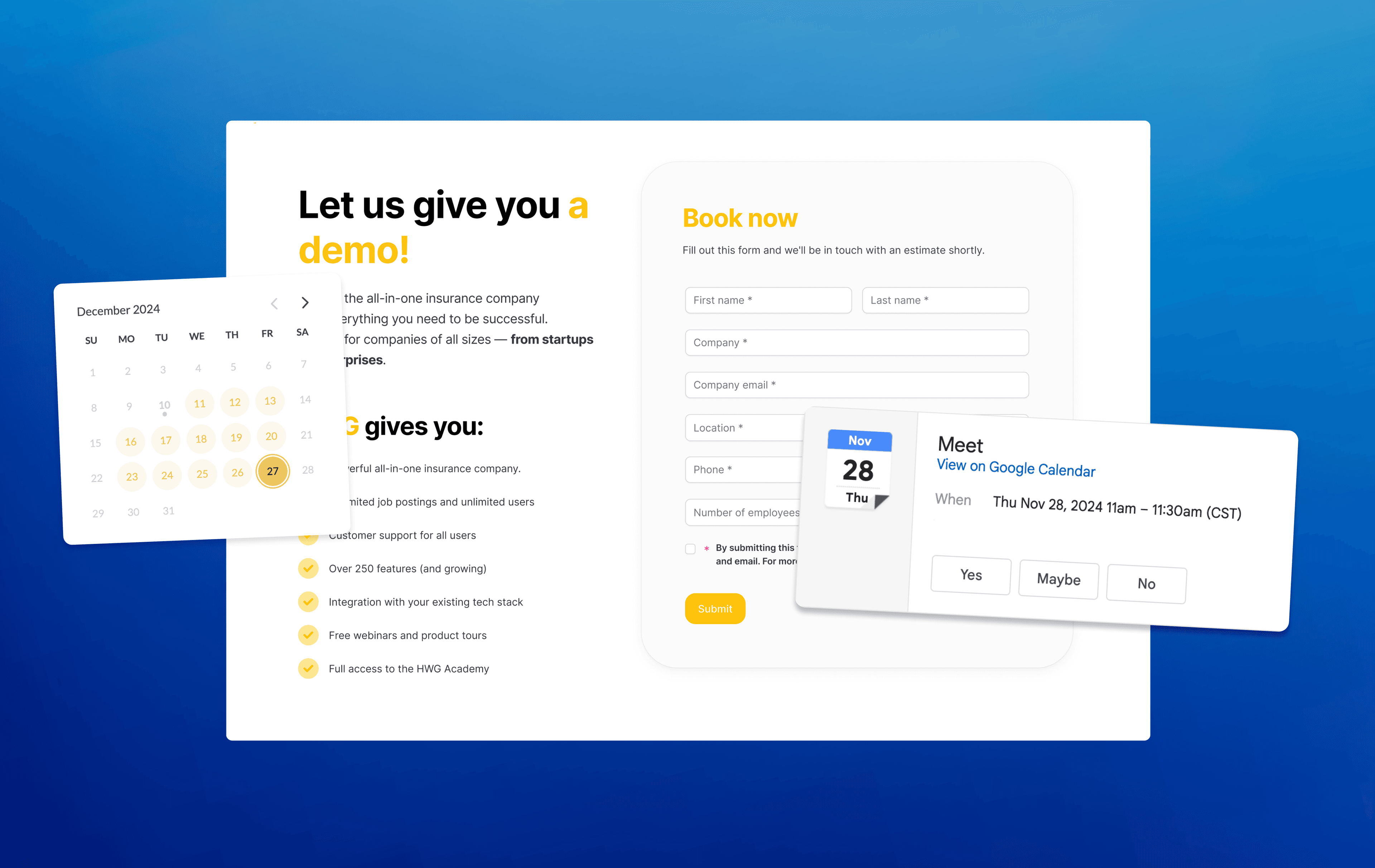
1. Submit the Form
Clients or Account Reps fill out the required information, such as their name, email, and phone number. This form ensures all the necessary details are captured to set up the meeting efficiently and accurately.

- Schedules Call
Clients or prospects select a date and time for their meeting. The calendar view makes it simple to pick a time slot, ensuring availability is clear and user-friendly.

- Meeting Confirmation
Once scheduling is complete, a confirmation page notifies everyone involved that the meeting has been successfully booked. Details such as organizer, time, and location (e.g., Google Meet) are provided for easy preparation.

- Notifications & Calendar Invite
Participants receive a detailed email and calendar invite. The email outlines the meeting purpose, expectations, and a link to join. This ensures everyone involved is aligned and ready to engage.
Features
👥 Role-Based Interfaces
Each user sees tools relevant to their role, offering focused functionality. Account Reps, admins, and clients only interact with the features they need.
📊 Tracking and Management
Appointments are monitored and managed within a centralized dashboard, providing clarity for both internal teams and clients.
🔄 Automated Notifications
Keep everyone informed with automated reminders and updates, ensuring transparency and preparation for all scheduled meetings.
What’s Next
- Generate real meeting links using secure.paperworkflow for forms and dub.co for a branded HWG subdomain.
- Add other guests to meetings.
- Use URL parameters to include team members’ phone numbers and emails using linked records.
- Create a DEMO version of the workflow using
ID=testto generate a random text funnel. - Document all notification workflows, starting with email.
- Add SMS notifications with Twilio.
- Develop SMS feedback workflows.
- Integrate SMS workflows and notifications into documentation.
- Incorporate re-schedule and cancel workflows.
- Create re-schedule and cancel notification workflows.
- Integrate re-schedule and cancel options into feedback funnels (SMS and email).
The Benefits
Scheduler Tools reduce time spent coordinating schedules by eliminating manual back-and-forth communication. Meetings are set up quickly, with all necessary data captured and stored in one place.